Site photographs are an essential part of architectural and construction documentation. They record progress, site conditions, defects, material installation, coordination issues, and construction stages. However, after every site visit, photos often remain unorganised in phone galleries, WhatsApp groups, shared drives, or project folders.
Many files are saved with generic names such as IMG_3021.jpg or Site_Photo_01.jpg. Later, when the team needs to find a specific image, it becomes difficult to search by location, floor, discipline, element, or issue type.
This workflow proposes a possible AI-assisted method to organise site photographs into a structured and searchable documentation system.
The purpose is not to promote any single AI company or software. Instead, it shows how AI tools, metadata, project information, and human review can work together to improve site photo management.
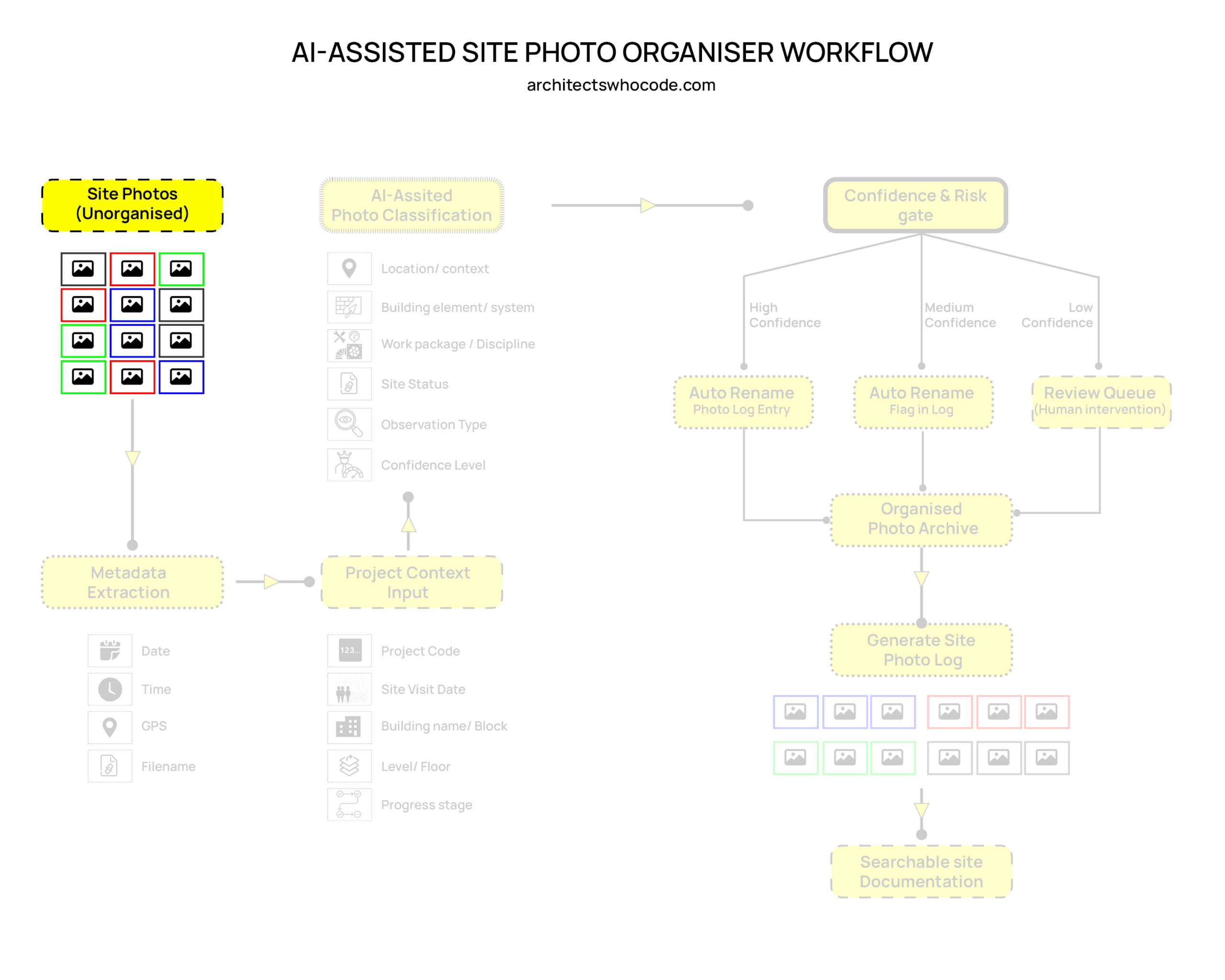
1. Starting Point: Unorganised Site Photos
The process begins with a collection of unorganised site photographs.
These photos may come from:
- Site visits
- Mobile phones
- Shared folders
- WhatsApp groups
- Project documentation drives
- Inspection records
At this stage, the images may not have proper names, categories, or descriptions. They are only raw visual records.
The challenge is to convert these unstructured photos into useful project information.
© Naveen Maria Fleming / ArchitectsWhoCode
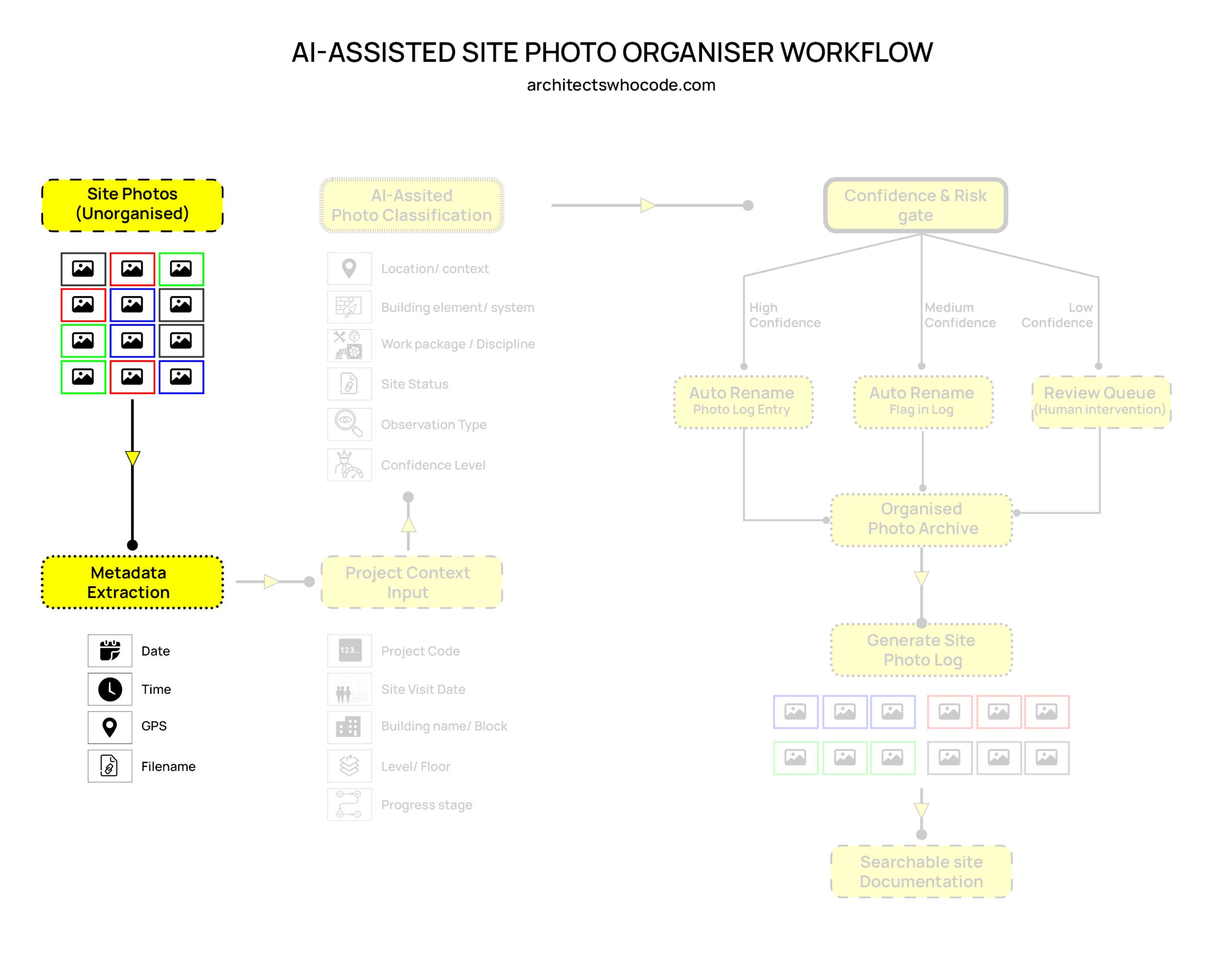
2. Metadata Extraction
The first step is metadata extraction.
Most photos already contain basic information such as date, time, GPS location, and original filename. This information can be extracted automatically and used as the first layer of organisation.
For example, the system can identify:
| Metadata | Purpose |
|---|---|
| Date | When the photo was taken |
| Time | Sequence of site visit documentation |
| GPS | Approximate project location |
| Filename | Original reference before renaming |
This step does not require complex AI. It is mainly a data extraction process. However, it gives a useful foundation for later classification.
© Naveen Maria Fleming / ArchitectsWhoCode
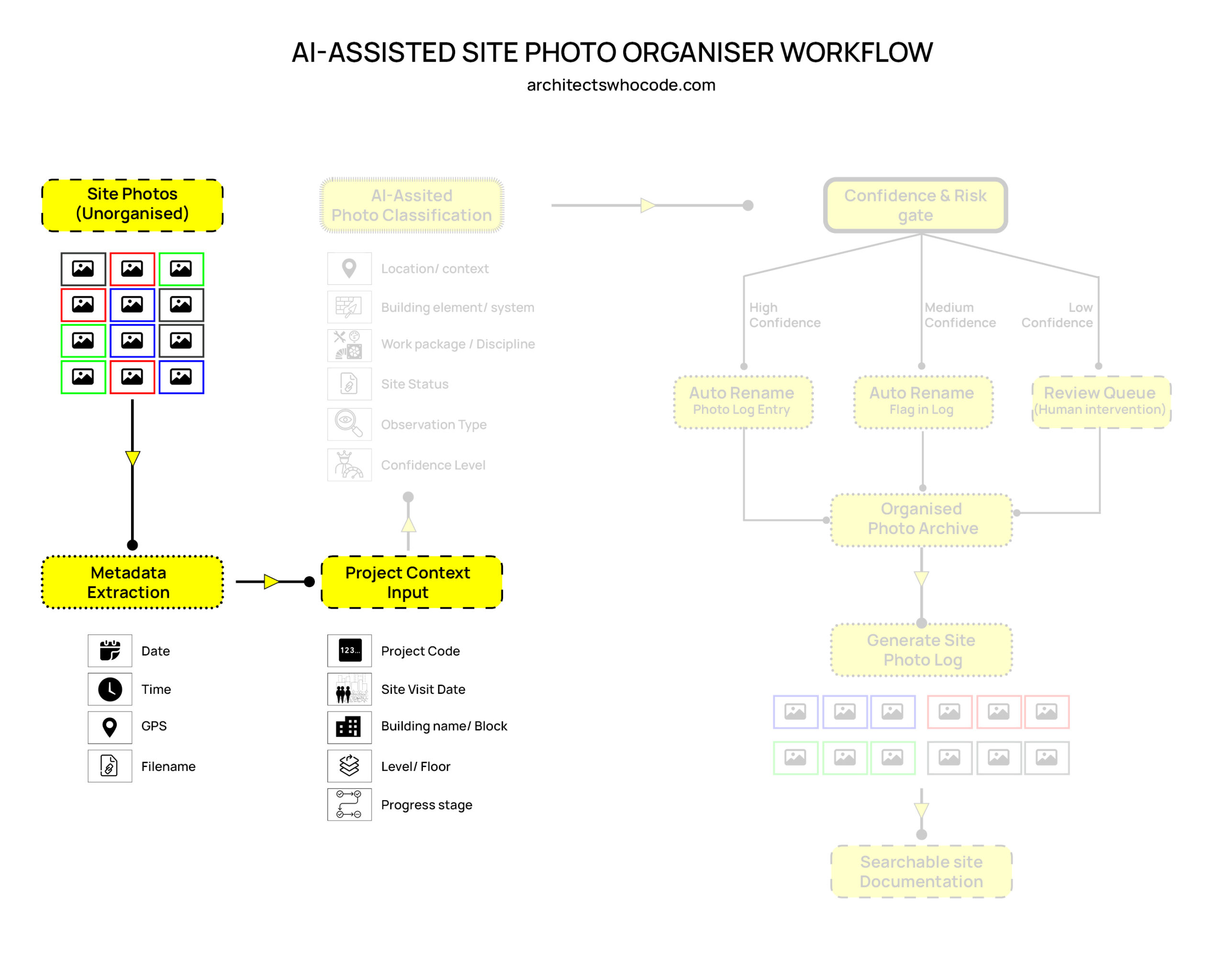
3. Project Context Input
Metadata alone is not enough. A photo may show a wall, ceiling, stair, or duct, but the system still needs to understand the project context.
Therefore, the user should provide basic project information before or during upload.
This may include:
| Project Input | Example |
|---|---|
| Project code | PRJ-001 |
| Site visit date | 12 March 2026 |
| Building / block | Block A |
| Level / floor | Level 03 |
| Progress stage | Finishing stage |
This helps reduce confusion. For example, if all uploaded photos belong to “Block A, Level 03”, the AI does not need to guess the floor from the image alone.
Project context makes the classification more accurate and practical.
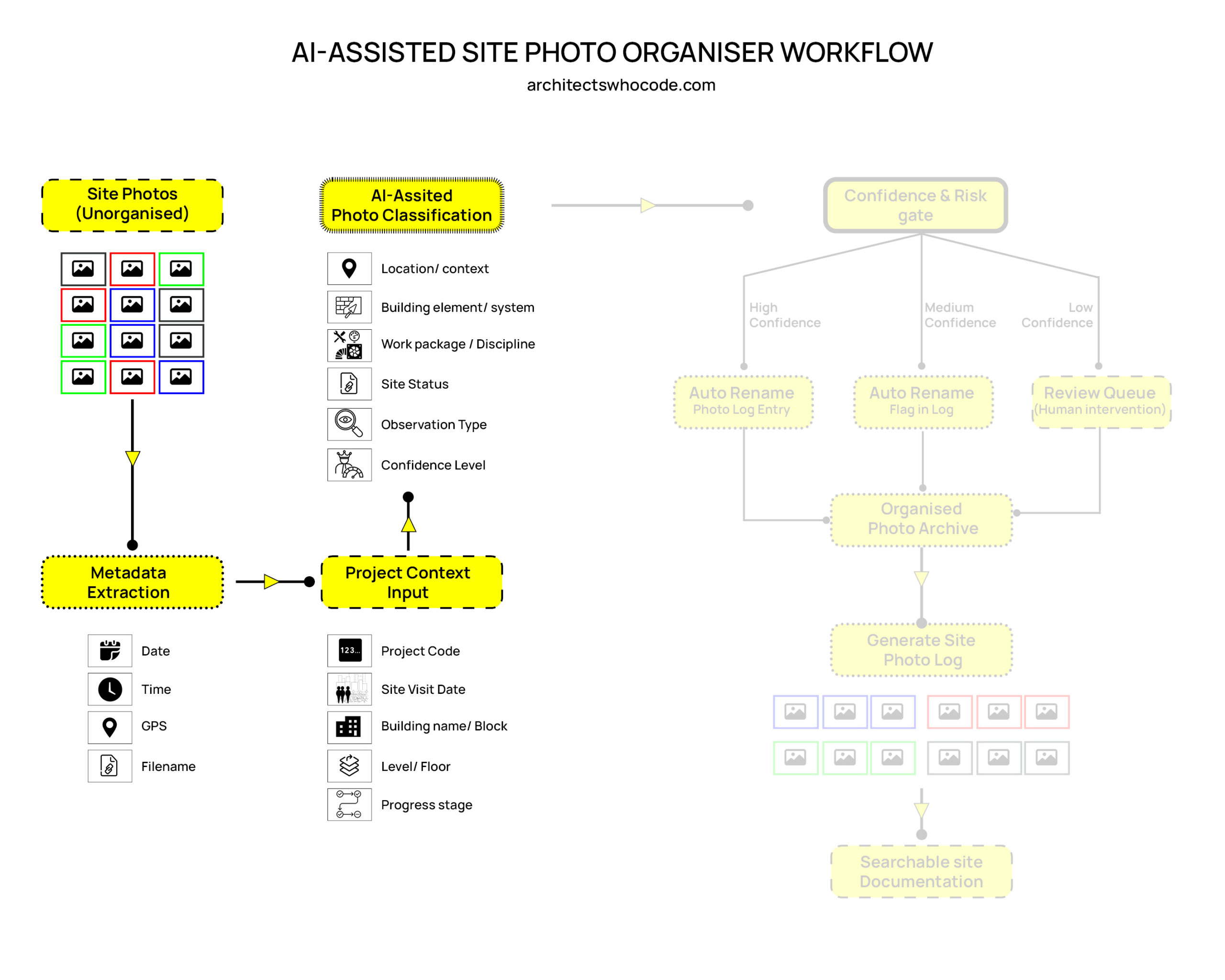
4. AI-Assisted Photo Classification
After metadata and project context are added, AI can assist in classifying the photos.
In this workflow, “AI” can mean different types of tools. It could include commercial AI tools such as OpenAI vision models, Google Cloud Vision, Azure AI Vision, Amazon Rekognition, or Gemini. It could also include open-source tools such as YOLO, CLIP, Segment Anything, or OCR models.
Some of these tools may require paid API access, especially commercial services. Open-source options may reduce cost, but they usually need more technical setup.
The AI classification can identify possible information such as:
| Classification Type | Example |
|---|---|
| Location / context | Corridor, room, stair, façade |
| Building element / system | Wall, ceiling, duct, pipe, door |
| Work package / discipline | Architecture, structure, MEP, façade |
| Site status | Completed, ongoing, damaged, pending |
| Observation type | Progress, defect, issue, installation |
| Confidence level | High, medium, low |
For example, an image could be classified as:
Location: Level 03 corridor
Element: Ceiling services
Discipline: MEP
Status: Ongoing work
Observation: Installation progress
Confidence: High
This classification helps convert a simple image into searchable project data.
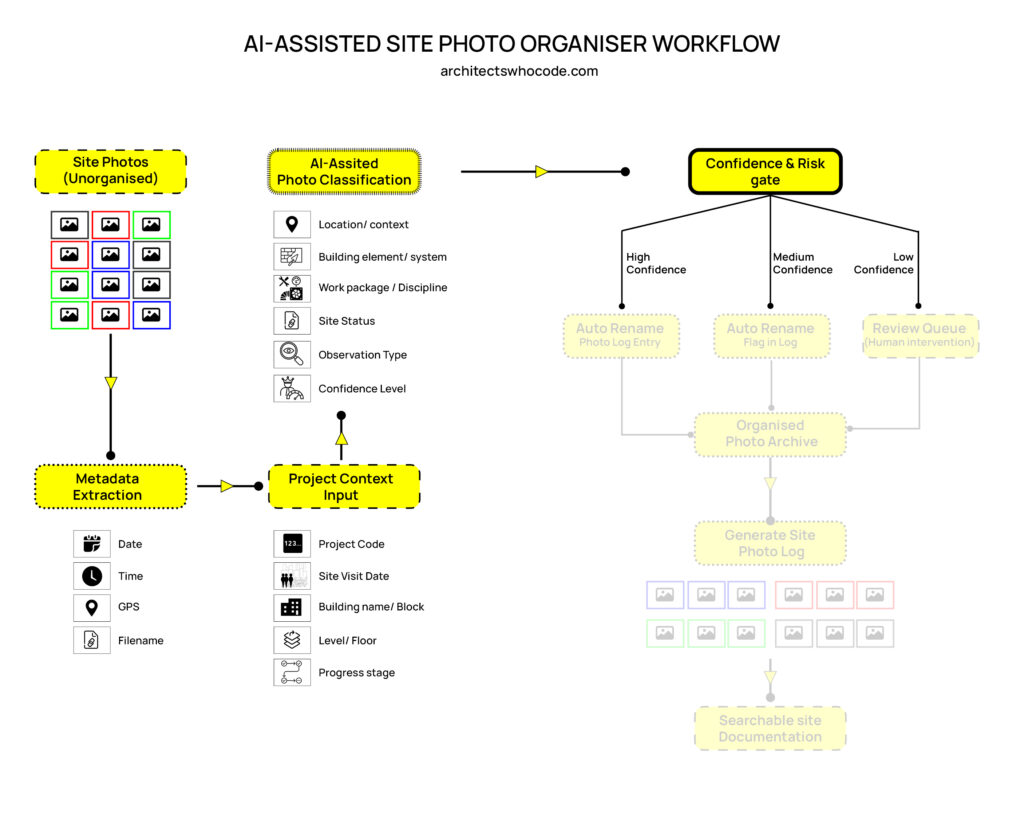
5. Confidence and Risk Gate
AI classification should not be accepted blindly. Site photographs can be unclear, repetitive, poorly lit, or visually similar across floors.
For this reason, the workflow includes a Confidence and Risk Gate.
This gate checks whether the AI output is reliable enough to be used automatically.
The photos can be divided into three categories:
High Confidence
If the AI is highly confident, the photo can be automatically renamed and entered into the photo log.
For example:
PRJ001_BlockA_Level03_MEP_CeilingServices_2026-03-12_001.jpg
This image can directly move into the organised photo archive.
Medium Confidence
If the AI has medium confidence, the photo can still be renamed, but it should be flagged in the log.
This means the system accepts the result temporarily, but a person can review it later if needed.
Low Confidence
If the AI has low confidence, the photo should move into a review queue.
A human reviewer can then check the image and correct the classification manually.
This is important because site documentation can be used for progress tracking, quality control, project communication, and contractual evidence.
AI should support the workflow, but human judgment should remain part of the process.
© Naveen Maria Fleming / ArchitectsWhoCode
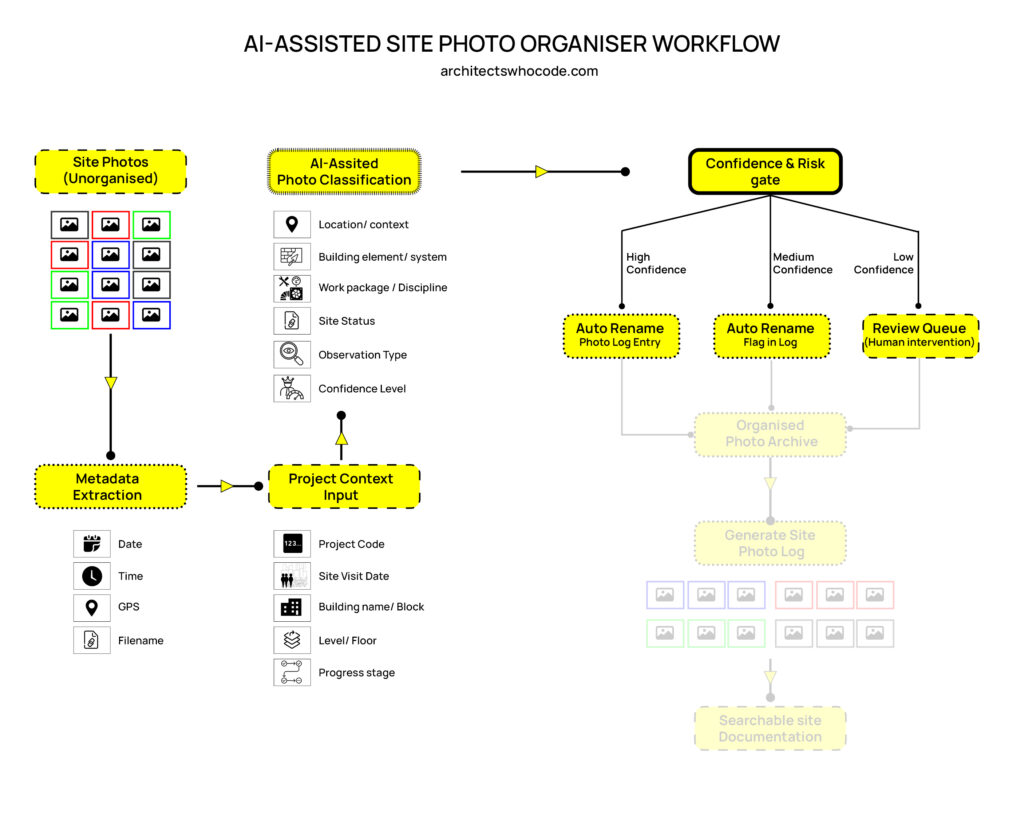
6. Auto Rename and Photo Log Entry
Once the confidence level is checked, the system can rename the photos automatically.
A structured filename may include:
- Project code
- Building or block
- Level or floor
- Discipline
- Building element
- Date
- Photo number
For example:
PRJ001_BlockA_L03_ARCH_WallFinish_2026-03-12_004.jpg
At the same time, the system can create a photo log entry.
A simple site photo log could include:
| Photo ID | Date | Location | Element | Discipline | Status | Confidence |
|---|---|---|---|---|---|---|
| P001 | 12 Mar 2026 | Level 03 corridor | Ceiling services | MEP | Ongoing | High |
| P002 | 12 Mar 2026 | Level 03 room | Wall finish | Architecture | Defect | Medium |
| P003 | 12 Mar 2026 | Unknown | Unknown | Unknown | Review needed | Low |
This creates a useful record instead of only storing image files.
© Naveen Maria Fleming / ArchitectsWhoCode
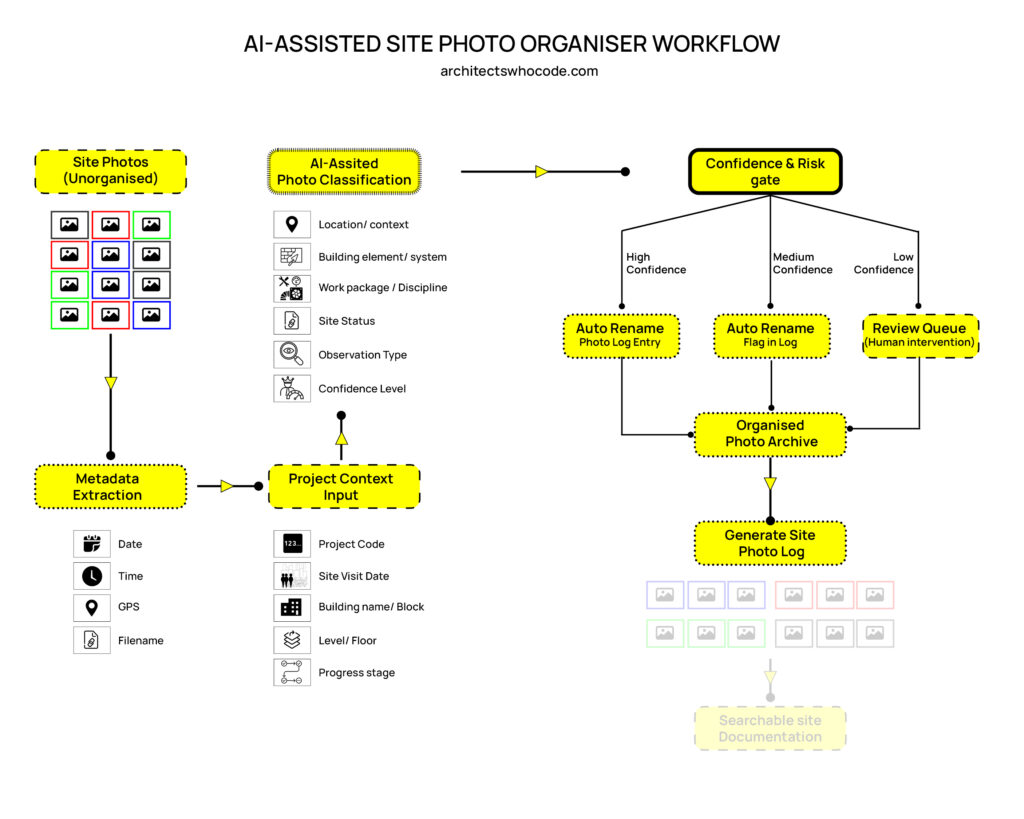
7. Organised Photo Archive
After classification and renaming, the photos can be stored in an organised archive.
The archive can be arranged by:
- Project
- Site visit date
- Building or block
- Level
- Discipline
- Element type
- Observation type
For example:
Project / Block A / Level 03 / MEP / Ceiling Services / Progress
This makes the archive easier to search and easier to use during meetings, reports, inspections, and project reviews.
Instead of manually opening hundreds of images, the team can search for specific information such as:
Level 03 + MEP + ceiling services
or
Block A + wall finish + defect
8. Searchable Site Documentation
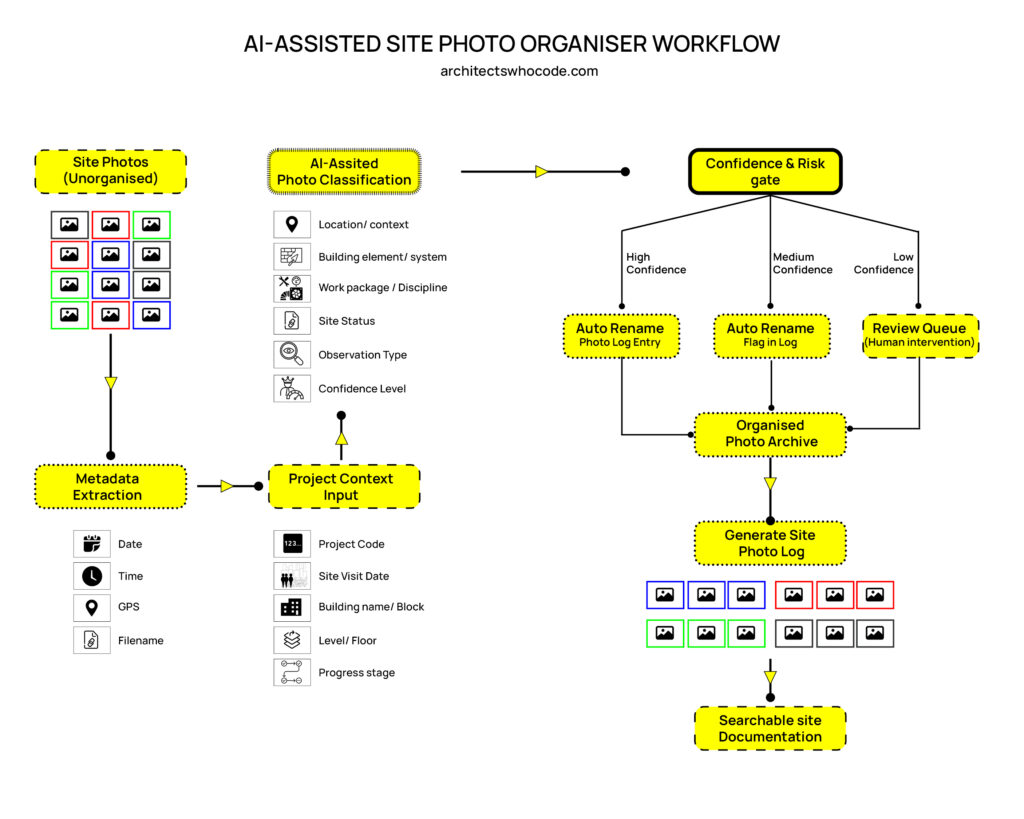
The final output of the workflow is searchable site documentation.
This means the photos are no longer only visual records. They become structured project data.
A project team could search by:
- Date
- Location
- Floor
- Discipline
- Element
- Status
- Defect type
- Confidence level
This can save time during project coordination and documentation review.
It can also support better communication between architects, engineers, site supervisors, contractors, and clients.
9. Why This Workflow Matters
Site photos are often treated as simple records, but they contain valuable project information.
A better photo organisation system can help teams:
- Find site images faster
- Reduce manual renaming work
- Improve photo documentation quality
- Track construction progress more clearly
- Identify defects and issues more easily
- Create better site reports
- Maintain a structured project archive
This workflow is especially useful for projects with frequent site visits and large numbers of photos.
10. Limitations
This workflow also has limitations.
AI may make mistakes. It may confuse similar spaces, misread building elements, or classify a photo incorrectly. Poor lighting, close-up images, repeated floor layouts, and missing project context can reduce accuracy.
There may also be privacy and cost concerns. Some AI services require paid API access, and project teams must be careful when uploading construction images to external platforms.
For sensitive projects, local or open-source tools may be more suitable, but they require more technical development.
Therefore, the best approach is not full automation. A practical system should combine:
AI classification + project metadata + simple rules + human review
This keeps the workflow useful, but still controlled.
Conclusion
This AI-assisted site photo organiser workflow proposes a structured method for managing construction photographs.
The workflow starts with unorganised site photos, extracts metadata, adds project context, classifies images with AI, checks confidence levels, and then creates an organised archive and site photo log.
The goal is not to replace architects, engineers, or site supervisors. The goal is to reduce repetitive documentation work and make site photos easier to search, review, and use.
In future, this type of workflow could be connected with BIM models, project management systems, inspection reports, and compliance workflows.
A site photo would no longer be just an image. It could become part of a searchable project knowledge system.